
minecraftschem.com

The Future of
Minecraft Build Sharing

The most transparent and creator-friendly platform for Minecraft builds, schematics, and maps.
No hidden rules. No senseless limits. Just freedom.

Follow development on Discord
2000+Builds Created
22K+Community Members
3000Builds Target 2026
100%Creator First

Why MinecraftSchem — Built differently. For creators.

No Hidden Rules

Every policy is public, readable, and written in plain language. No surprises, no silent changes, no arbitrary removals.

Instant Downloads

No unnecessary friction, no forced extra accounts. Creators choose how to share — direct downloads or external links.

Open Platform

We're evaluating making the entire codebase open source. Public APIs, shared data, and the freedom to build on top of it.

Every Format

Java schematics, Bedrock .mcstructure, maps, resource packs, and future support for Hytale prefabs. All in one place.

Massive Library

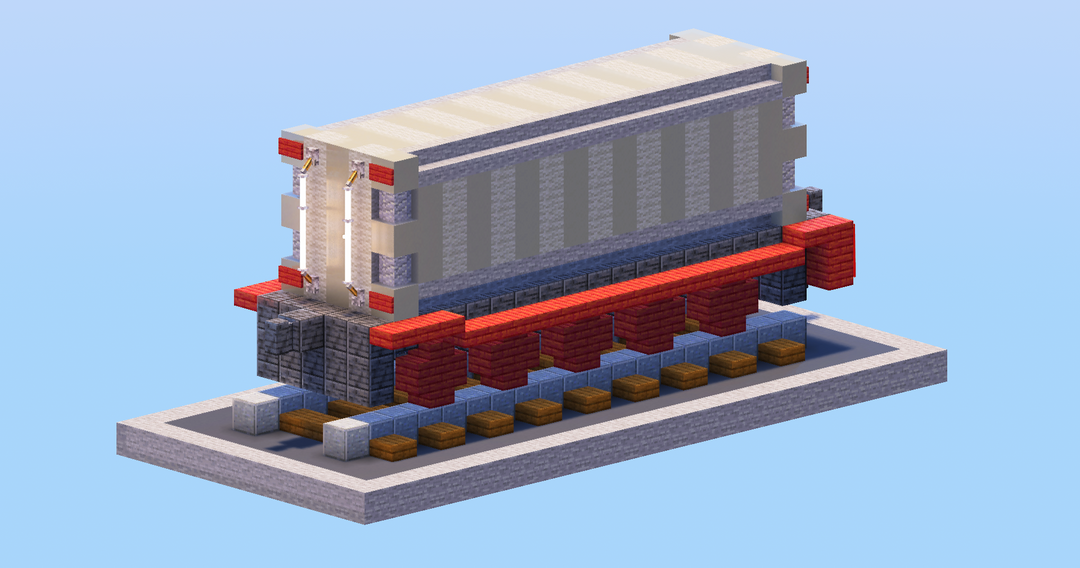
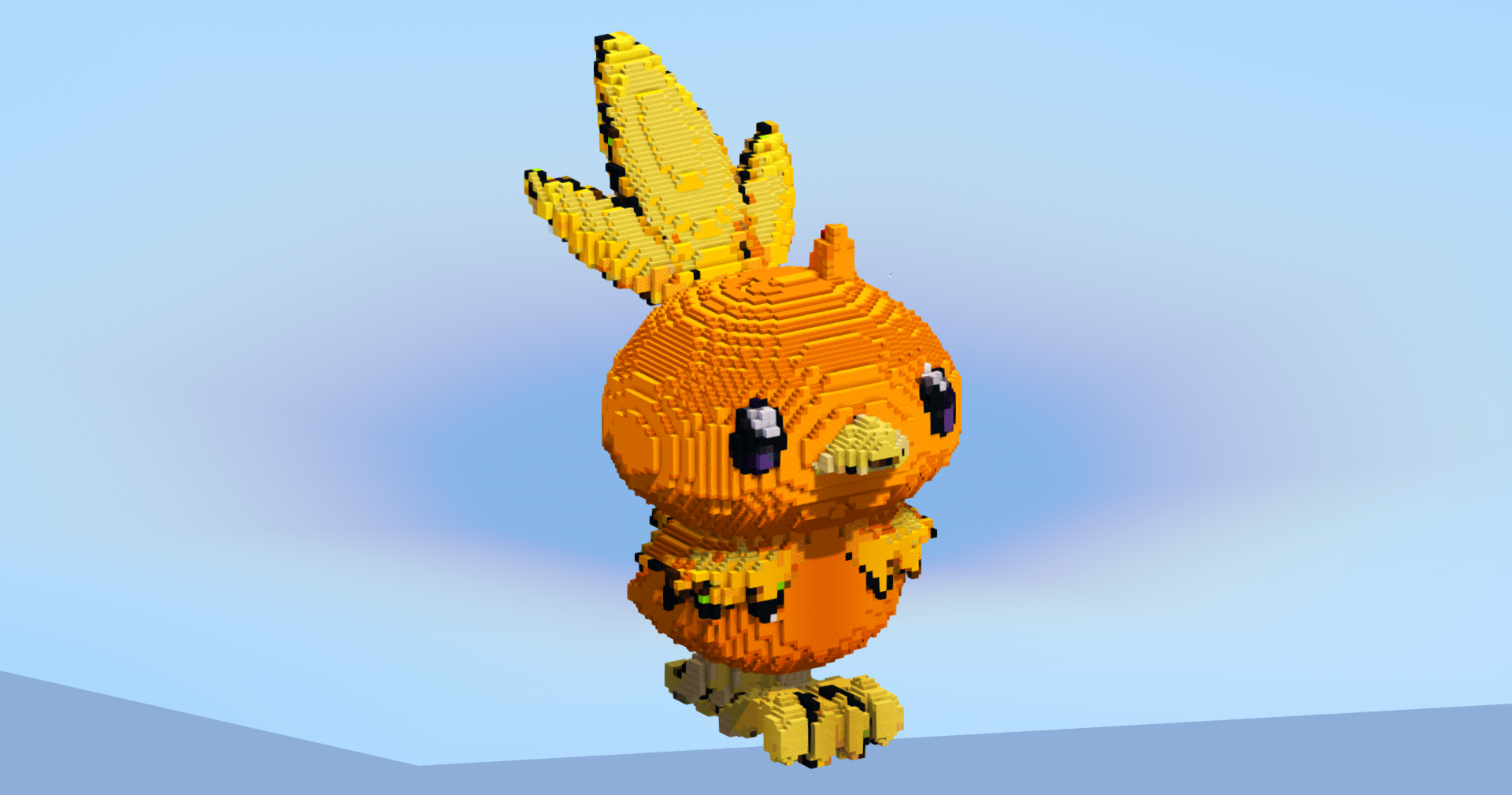
Over 2,000 builds spanning medieval, modern, Japanese, sci-fi, fantasy, statues, maps, and hundreds of character builds.

Real Community

Direct access to creators, community feedback that shapes the platform, and a Discord where every voice matters.

"Our mission is to build the most transparent and creator-friendly platform out there. No shady restrictions. No silence. No confusing rules. Just freedom, clarity, and open communication — the way every content-sharing site should be."

TransparencyFreedomRespectCommunityOpen SourceCreator First

Everything you need — A full platform for Minecraft creators

Posts
  • Builds, Skins, Servers, Resource Packs
  • Gallery viewer with fullscreen & scroll
  • 3D schematic viewer in browser
  • Schedule, draft & publish posts
  • Advanced filters & sort presets
  • Share as branded image card
  • Bulk edit & bulk delete
Profile
  • Custom banner, avatar & slogan
  • Social links & pronouns
  • 9 resizable content boxes
  • Full stats and analytics panel
  • Wall posts & comments
  • Subscriptions & subscribers
  • YouTube integration
Groups
  • Create groups with logo & banner
  • Follow or request membership
  • 7 drag-and-resize boxes
  • Guest book, shared posts & lists
  • Rules, FAQ & useful links
XP & Ranks
  • 100 levels with XP progression
  • 11 ranks (Beginner → Celestial)
  • 90 unlockable traits
  • Earn XP from likes, views, follows
Social
  • Like, favorite & comment on posts
  • Personal feed from creators you follow
  • Stories to share with friends
  • Direct messaging with folders
  • Ticket & report system
Platform
  • Dark & light theme
  • Global search (posts, lists, users)
  • Login with Google
  • Fully responsive layout
  • Moderation & safety tools
PUBLIC BETA

The site is open to the public and in beta — you can use it freely right now. Found a bug? Your reports are extremely valuable.

Report a Bug

Open Source — Coming after Beta

After the beta period, the entire source code will be released publicly so that anyone can propose changes or create their own version of the site. Those who do so will also be given the opportunity to start with an initial pool of around 2,000 posts — so they're visible to the entire Minecraft community right away, without the "small site" effect caused by a young platform.

20 views 1 today 0 downloads 0 today 0 0
WanMine
WanMine Team · posted by LeonisBuilds Published 21 Sep 2026 Last modified: 21 Sep 2026
Create: Progressive Engineering logo

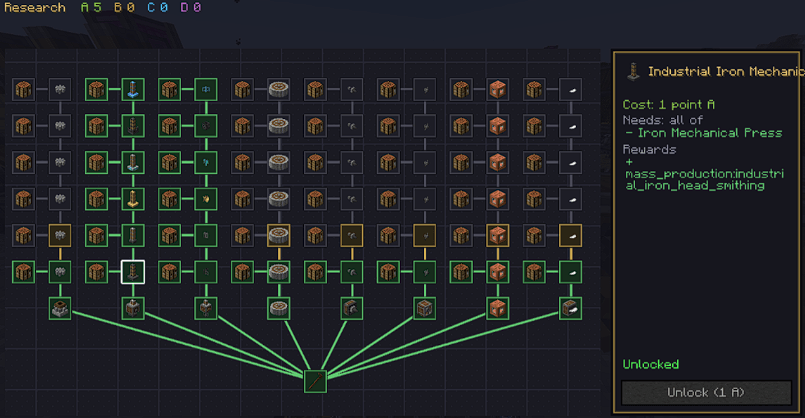
A mod that adds real progression to Create. Upgrades of various tiers to more than 7 Create machines, unlocked with skill points.

LoadersNeoForge
Versions1.21.1
EnvironmentClientServer
Previous Creeper Hot Air Balloon
Next Modern District

Description

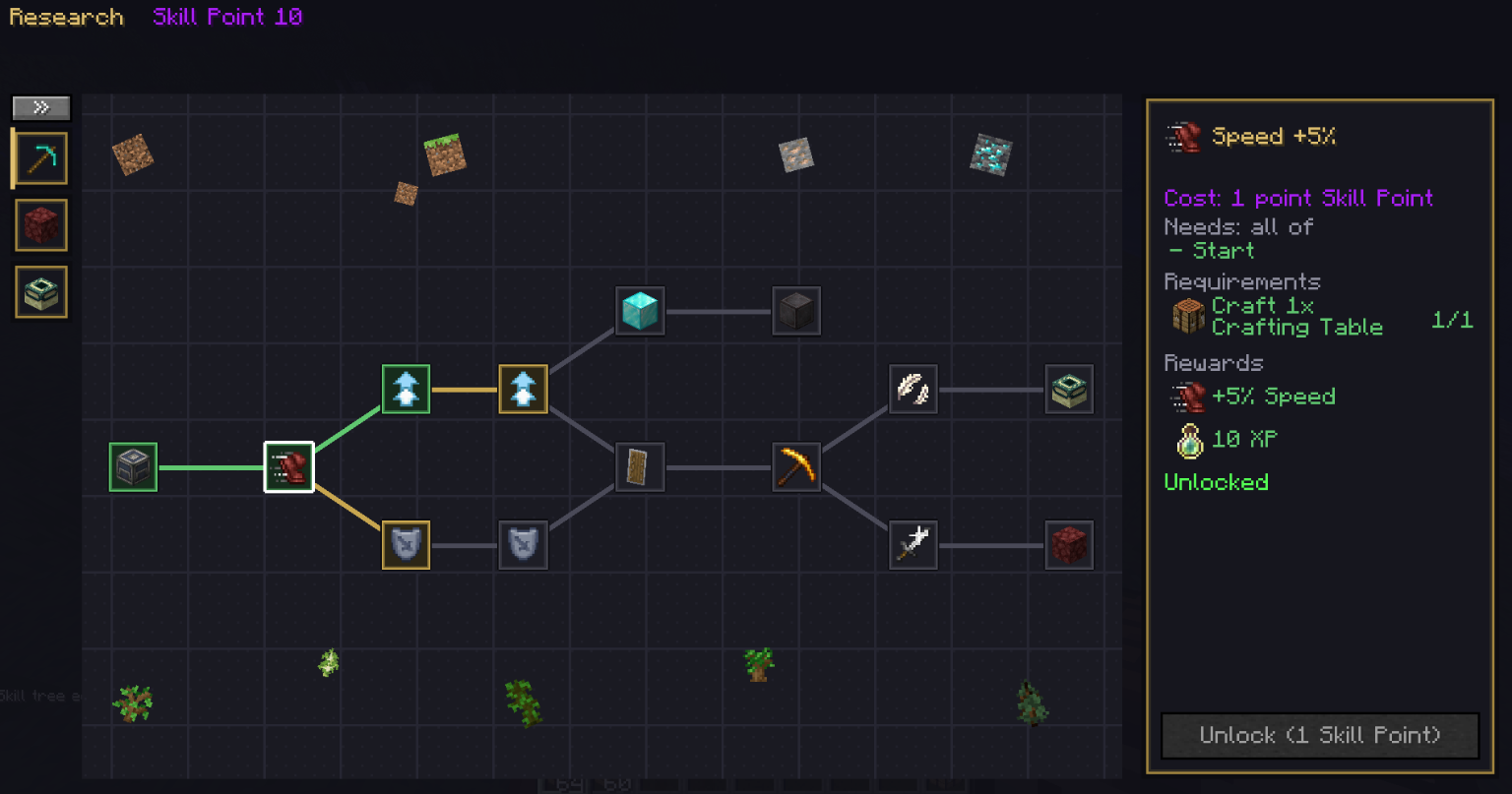
Tired of crafting the best Create machine 5 minutes after starting a world? This mod forces you to level up your factory step-by-step. Feed items to the Dispatcher Post → earn points → build crazy 64x faster super-machines!

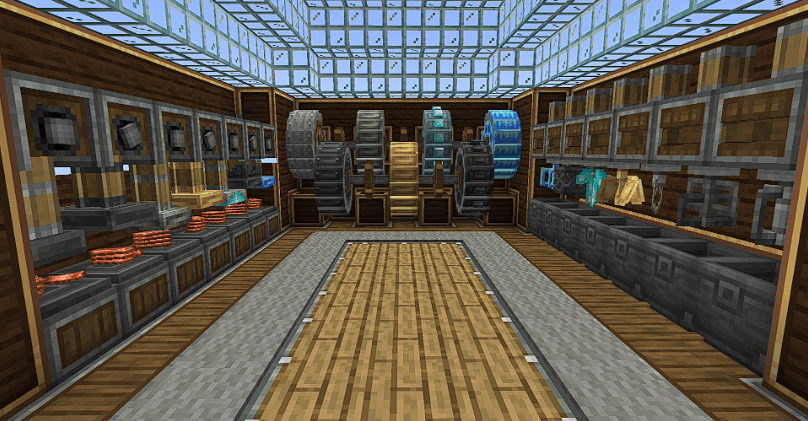
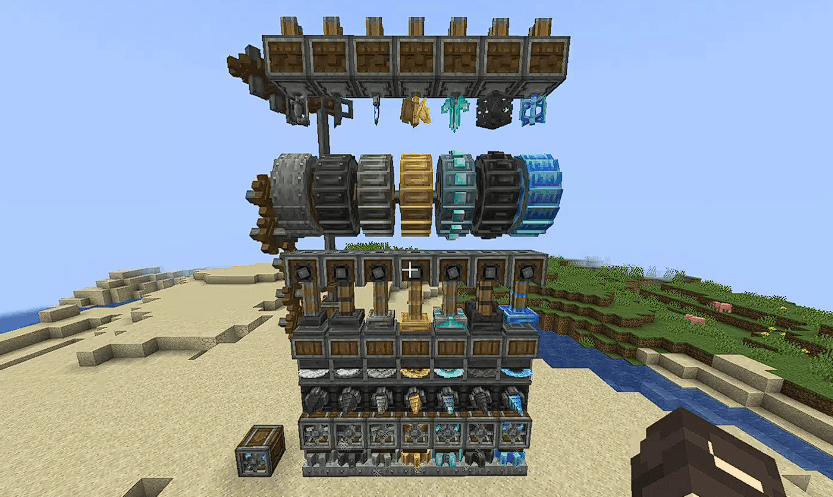
In normal Create, once you make a Mechanical Press or Mixer, you're pretty much done. Progressive Engineering changes that! Now, every machine has 7 Tiers. You start with basic Iron machines and upgrade all the way to insanely fast Super Charged machinery.


🚀 Why Upgrade Your Machines?

Higher tier machines aren't just for flex, they are absolute beasts! Upgrading gives you:

  • Insane Speed: Process items in a fraction of the time!
  • 📦 Massive Output: Get way more stuff per craft!
  • 🔋 Better Efficiency: Less stress on your kinetic grid and way more power.
  • 🚜 Bigger Size: Harvesters and drills cover way bigger areas!

Version 1.0.0 (16/09/2026)

Show spoilerHide spoiler


🚜Which Machines do we Upgrade?

Press: https://youtu.be/czyxmZnJPT0 (Item per shot)
Mixer: https://youtu.be/c4UoFTaifH4 (Recipes per cycle)
Crushing Wheel: https://youtu.be/07-2pIgFOSc (Grinding speed)
Millstone (Processing speed)
Fan (Dry/Wet/Melt speed)
Saw (Cutting speed)
Drill (Digging speed)
Fluid Tank (Capacity)

📈 The 7 Machine Tiers

Each tier is 2x more powerful than the last:

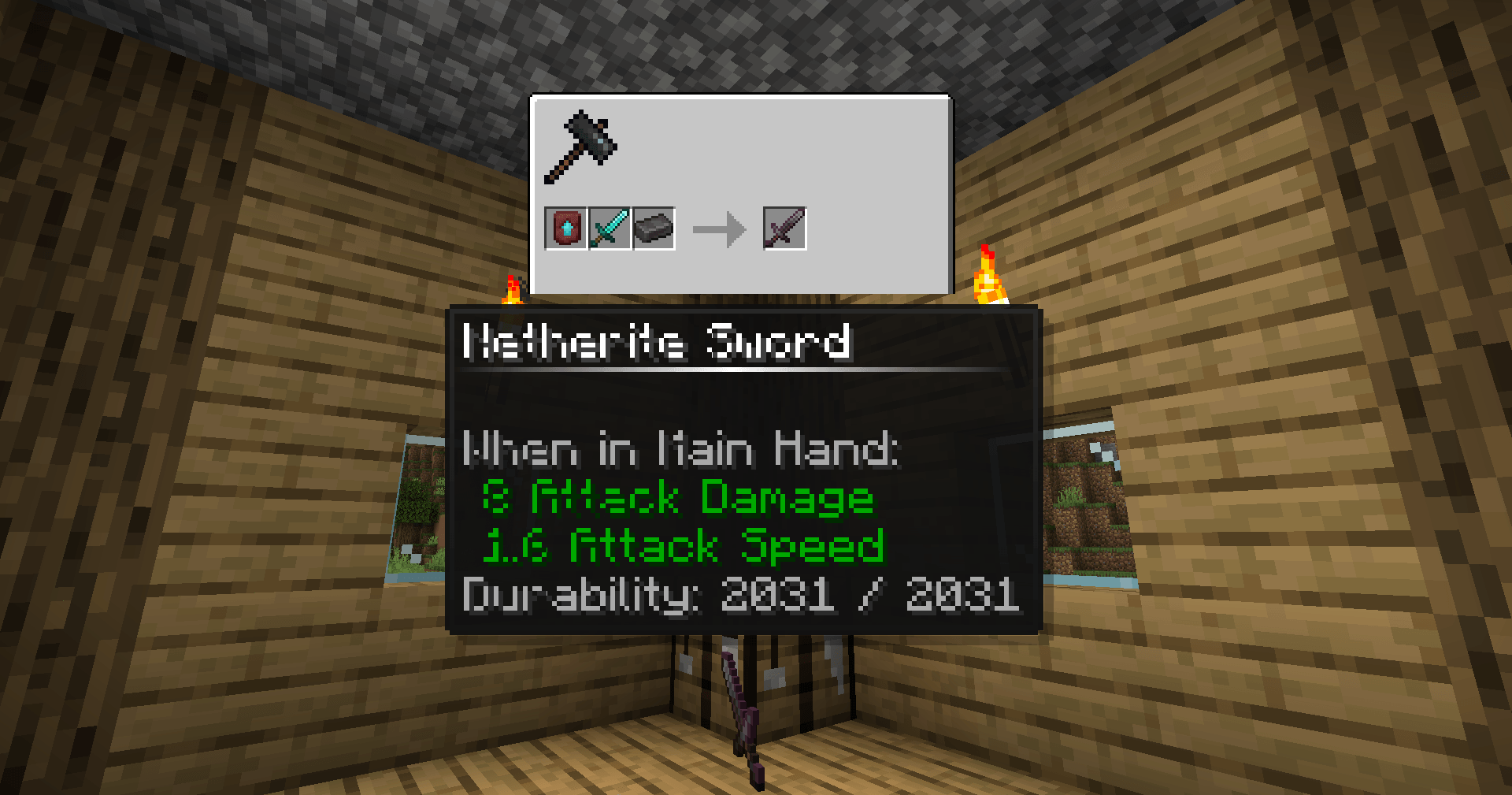
Iron, Industrial Iron, Zinc, Brass, Diamond, Netherite, Super Charged

🛠️ How Do You Level Up?

It’s super straightforward:

  1. Complete Quests / Deliver Items: Throw requested materials into a special quest block (yes, you can automate this with chutes and hoppers!).
  2. Get Research Points: Delivering items grants you points instantly 
  3. Unlock & Upgrade: Use your points to unlock new machine blueprints!
  4. Upgrade on the Smithing Table: Combine your old machine with upgrade parts to get the shiny new Tier!

How To Earn Skillpoints: https://youtu.be/7pVanlwtx_s
How To Setup Skillpoints (for mod/modpack makers): https://youtu.be/T6htVxyiyyc
How To Setup Skilltree (for mod/modpack makers): https://youtu.be/tI2Oa26XxkM

✨ Quality of Life Feature:
After you upgrade a specific machine tier enough times, you unlock direct crafting so you don't have to keep upgrading from Tier 1 every single time!


🔁 The Fun Game Loop

  1. Build machines 🏗️
  2. Automate item production 🏭
  3. Feed items to get Research Points 🧠
  4. Unlock supercharged machine tiers ⚡
  5. Build a mega-factory and repeat! 🚀

👥 Playing with Friends?

Research points are individual, but you can 100% build automated factories together and share resources to help each other level up super fast!

Read the full changelog: https://drive.google.com/file/d/1KgdcDsJX9L5dYVElwkyWY7UqKyKBghhx/view?usp=sharing

Version 1.0.1 (20/09/2026)

Show spoilerHide spoiler

Changes:
Fix: Block breaking time and tool fix


💬 Join Our Community

If you want to leave feedback, feel free to use the comment space below or the dedicated channel in the WanMine Discord server.


Discord Server

Create: Progressive Engineering is a Minecraft mod, created and shared by LeonisBuilds on MinecraftSchem in 2026. Download this free Minecraft mod or addon for the loader and game version you play on. Related themes: create, progressive, engineering.

Logo
LeonisBuilds
Profile
LeonisBuildsModeratorLevel 93Mythic Zombie Programmer
  • 26 Wall posts
  • 3279 Posts
  • 112 Lists
  • 11 Subscribers
  • 16 Subscriptions
  • 266 Likes given
  • 7 Favorites given
  • 0 Youtube videos
  • 813995 Total post views
  • 1828 Total profile views
  • 788 Likes received
  • 87 Favorites received
  • 3 Comments received
  • Apr 02, 2026 Joined
  • LeonisBuilds Minecraft
  • Xbox
View profile
Minecraft: LeonisBuilds

Technical Details

TypeMod
Minecraft version1.21.1
Published21 Sep 2026
Updated21 Sep 2026
Downloads0
Views20

Frequently Asked Questions

How do I install Create: Progressive Engineering?

Download it from CurseForge or Modrinth for your loader (Forge, NeoForge, Fabric…) and Minecraft version, then drop it into the mods folder of that game profile. Bedrock add-ons (.mcaddon/.mcpack) open with a double click.

Is this mod free?

Yes, Create: Progressive Engineering is free to download on MinecraftSchem.

How to install this Minecraft mod

  1. Open the CurseForge or Modrinth page with the buttons above and download the file for your loader and Minecraft version.
  2. Install the matching loader (Forge, NeoForge, Fabric or Quilt) if it is not installed yet.
  3. Put the .jar into the mods folder of your game directory. Bedrock: open the .mcaddon / .mcpack.
  4. Start Minecraft with that loader profile and check the mod list.

Comments

You must log in to comment.